> ## Documentation Index
> Fetch the complete documentation index at: https://rilwanorganization.mintlify.site/llms.txt
> Use this file to discover all available pages before exploring further.
# Authentication
> Learn how to authenticate with the API
 ## About Abstract's API keys
[AbstractAPI](https://www.abstractapi.com/) only allows one key per API. Each API has a unique key for authentication.
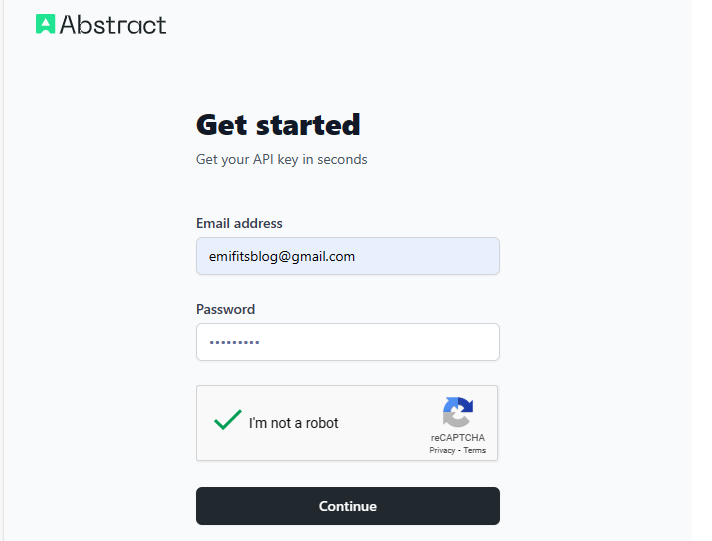
Proceed to the [signup page](https://app.abstractapi.com/users/signup) to create an account. You will be redirected to the dashboard where all API keys can be found.
## How to obtain an API key
## About Abstract's API keys
[AbstractAPI](https://www.abstractapi.com/) only allows one key per API. Each API has a unique key for authentication.
Proceed to the [signup page](https://app.abstractapi.com/users/signup) to create an account. You will be redirected to the dashboard where all API keys can be found.
## How to obtain an API key
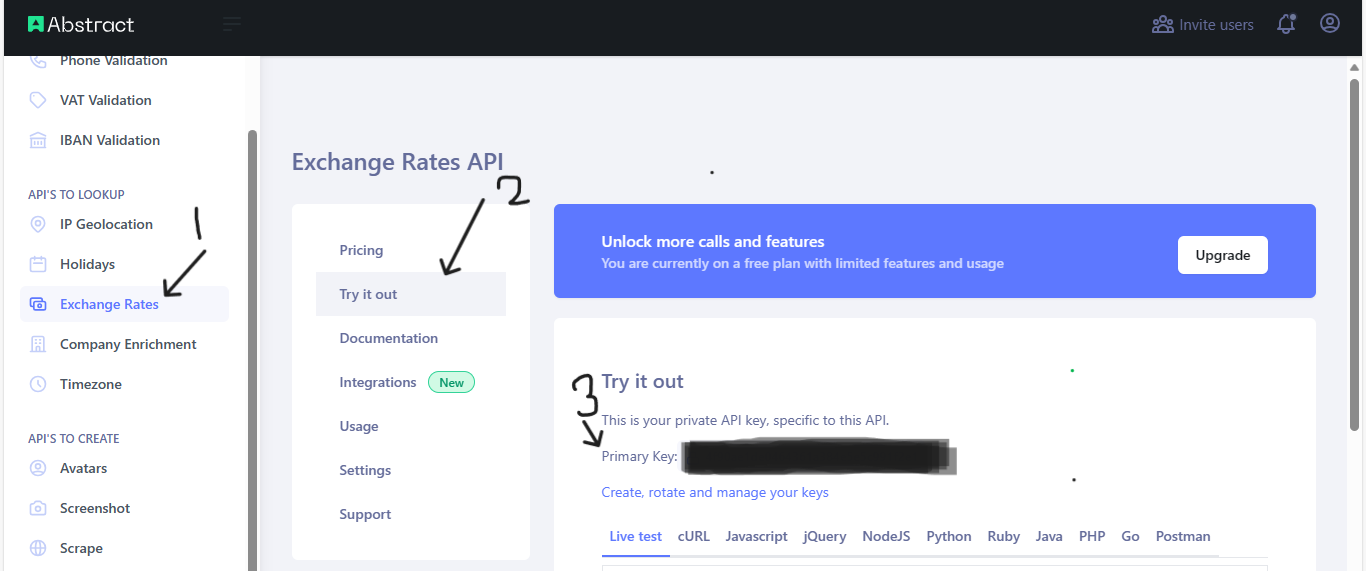 Locate an API key through the steps below:
1. Hover around the left corner of your dashboard
2. Select an API from the list
3. An API key for the selected API will be displayed on the new page.
For example: `Primary key: "6f2e9012d48f4e0bac70283244ade5e4"`
The above API Key is invalid.
## How to authenticate with an API key
Each API class in `abstract-python` requires an `api_key` to send queries. The key must belong to
the API you intend to use. Below is a snippet on how to use an api-key:
```python theme={null}
from abstract_python import VatAPI
vat_api_key = "your_unique_vat_api_key"
vatapi = VatAPI(vat_api_key)
```
You can begin to call the methods available for the authenticated class.
Locate an API key through the steps below:
1. Hover around the left corner of your dashboard
2. Select an API from the list
3. An API key for the selected API will be displayed on the new page.
For example: `Primary key: "6f2e9012d48f4e0bac70283244ade5e4"`
The above API Key is invalid.
## How to authenticate with an API key
Each API class in `abstract-python` requires an `api_key` to send queries. The key must belong to
the API you intend to use. Below is a snippet on how to use an api-key:
```python theme={null}
from abstract_python import VatAPI
vat_api_key = "your_unique_vat_api_key"
vatapi = VatAPI(vat_api_key)
```
You can begin to call the methods available for the authenticated class.